



















Sudoku Classic Scratch
Sudoku Classic Scratch Masterclass
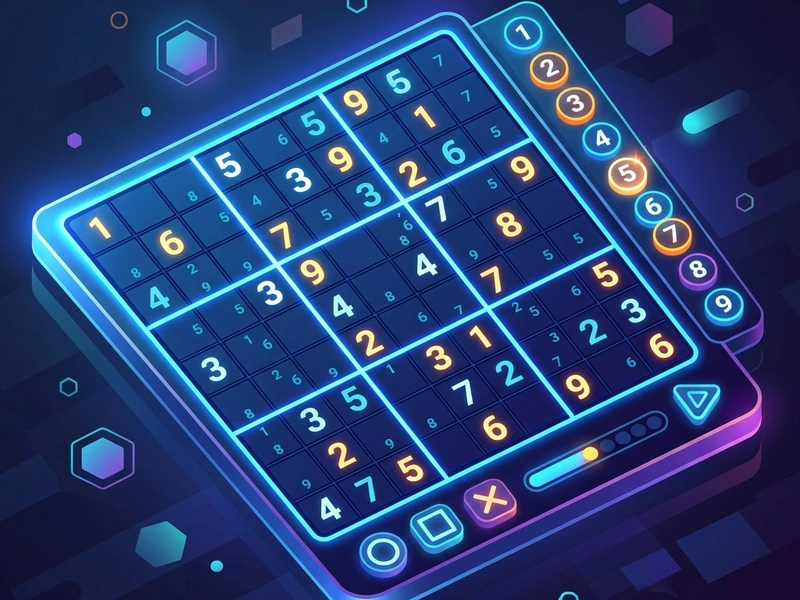
Sharpen your mathematical logic and deduction with Sudoku Classic Scratch. Your task is to fill the standard 9x9 grid with digits from 1 to 9 so that each column, each row, and each of the nine 3x3 subgrids contain all numbers without duplicates. Many fans of online numbers puzzle searching for Suduko enjoy this interactive version for its smooth layout, clean grid lines, and responsive number pad.
History of the Number Placement Puzzle
While the name "Sudoku" originates from Japan (meaning "single number"), the modern version of the puzzle was actually designed in Indianapolis, Indiana in 1979 by Howard Garns, a retired architect. It was published under the name "Number Place." The puzzle was introduced to Japan in 1984 by Nikoli, where it took the name Sudoku. It became a worldwide craze in 2004 when a retired judge created a computer program to generate puzzles quickly. This Scratch version brings this classic logical deduction game to your browser with clean, modern coding.
Core Rules & Layout
The grid consists of 81 cells, divided into 9 rows, 9 columns, and 9 boxes (3x3 regions). The board starts with several numbers pre-filled. You must fill the remaining empty cells with numbers 1 to 9. The rules are absolute: each row must contain all numbers 1 to 9 exactly once, each column must contain all numbers 1 to 9 exactly once, and each 3x3 box must contain all numbers 1 to 9 exactly once. No guessing is required; every valid Sudoku has a single unique solution reachable purely through logic.
Pro Solving Strategies
- Cross-Hatching: Focus on a single number (e.g. 5) and scan the grid rows and columns containing that number. This blocks off cells in adjacent 3x3 boxes, narrowing down where the 5 must go.
- Write Notes (Pencil Marks): Use the candidate note feature to write down small numbers in the corner of empty cells. This helps you track possibilities and identify pairs.
- Naked Pairs: If two cells in the same row, column, or box contain only the same two candidates (e.g. [3, 7]), you can eliminate 3 and 7 from all other empty cells in that same region.
- Solve Easy Regions First: Look for rows, columns, or 3x3 boxes that already have 7 or 8 cells filled. It is much easier to deduce the final 1 or 2 missing numbers.
- Avoid Guessing: Placing a wrong number can break the board states later. If you get stuck, re-examine your notes or scan a different digit.
Controls Guide
- Click on Grid Cell: Select Cell (Selects the targeted square for number input.)
- Click On-screen Number / Press Key: Input Number (Fills the selected cell with the chosen digit.)
- Pencil Tool Toggle: Toggle Notes (Enables writing candidate numbers in the cell corners.)
Key Game Highlights
- Clean visual markers highlighting selected rows, columns, and boxes.
- Built-in mistake tracker and timer to measure your solving speed.
- Responsive grid layout that works perfectly on desktop and tablet screens.
- Unlimited generated puzzles spanning multiple difficulty levels.
💬 0 Comments
Leave a Comment