















2048 Scratch Edition
2048 Scratch Edition Overview
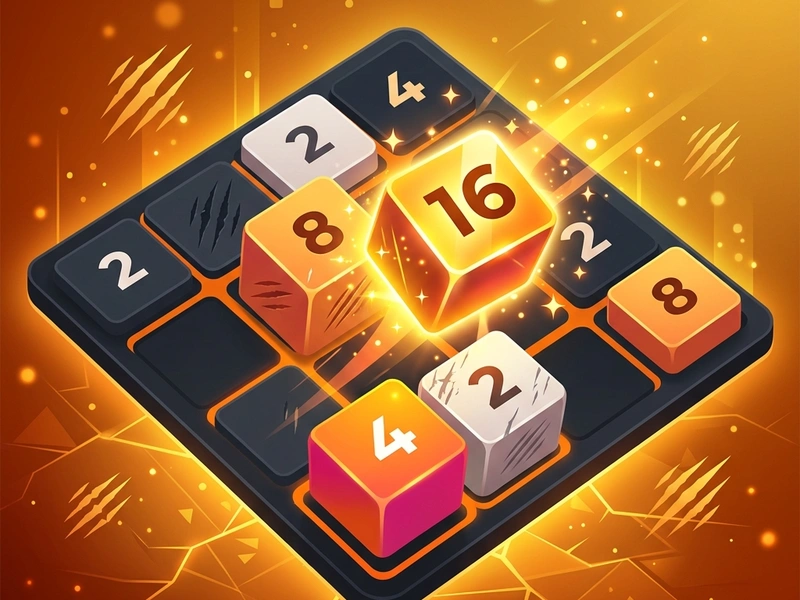
Get ready to stack, merge, and double your numbers in the highly polished 2048 Scratch Edition! In this sliding block puzzle, your goal is to merge matching number tiles to reach the legendary 2048 block. Designed to run smoothly inside any modern browser, this game offers immediate visual transitions, clean tile merges, and responsive inputs. Millions of players searching for the classic 2048 sliding tile puzzle will find that this Scratch adaptation captures the exact mechanics of the viral hit while ensuring optimal performance and absolute responsiveness.
The Origin of the Sliding Block Math Phenomenon
2048 was originally created in March 2014 by 19-year-old Italian developer Gabriele Cirulli. He built it in a single weekend as a clone of the commercial game "Threes" and released it on GitHub as open-source. The game immediately went viral, spawning hundreds of variants and adaptations. Its simplicity, combined with the deep mathematical strategy required to win, turned it into an instant classic. The Scratch Edition reproduces this classic math puzzle in high-fidelity vector blocks, running on a stable 60fps rendering engine.
Rules & Grid Mechanics
The game is played on a simple 4x4 grid. With every move, you slide all tiles on the grid in one of four directions: Up, Down, Left, or Right. When two tiles containing the same number touch while sliding, they fuse into a single tile with a value equal to their sum (e.g., 2 + 2 = 4, 4 + 4 = 8, and so on). Each time you make a move, a new tile with a value of either 2 (90% chance) or 4 (10% chance) randomly spawns in an empty slot on the board. The game is won when you merge tiles to create the 2048 block. If the grid completely fills up and there are no adjacent matching tiles to merge, the game ends in a Game Over.
Pro Strategies for High Scores
- Keep the Largest Block in a Corner: Choose one corner (e.g., the bottom-left or bottom-right) and never move your highest value tile from that spot. This anchors your grid structure.
- Maintain Monotonic Order: Arrange your tiles in a gradient descending order towards your corner. For example, if your corner is 256, the adjacent tiles should ideally be 128, 64, and 32.
- Avoid Sliding Up: If your anchor corner is at the bottom, try to slide only Left, Right, and Down. Sliding Up can pull your highest block out of the corner and allow a random "2" to spawn underneath it, ruins your alignment.
- Focus on Clean Merges: Try to merge multiple pairs in a single move to keep the board as empty as possible. A crowded grid limits your strategic options.
- Patience is Key: Plan ahead. Think about where new blocks might spawn and avoid rush moves that could block your main lanes.
Controls Guide
- Arrow Keys / WASD: Slide All Blocks (Slides all tiles on the grid in the selected direction.)
- Mouse Swipe / Drag: Touch Slide (Slides blocks in the direction of the swipe (great for mobile).)
- R Key / Restart Button: Reset Board (Clears the grid and restarts a new game.)
Key Game Highlights
- Smooth, satisfying sliding animations and scale transitions on tile merges.
- Persistent high score memory to track your personal mathematical records.
- Polished responsive design that scales perfectly to mobile screens.
- Zero delays, allowing you to slide blocks as fast as your reflexes allow.
💬 0 Comments
Leave a Comment