


















Skynet Simulator
System Overview of Skynet Simulator
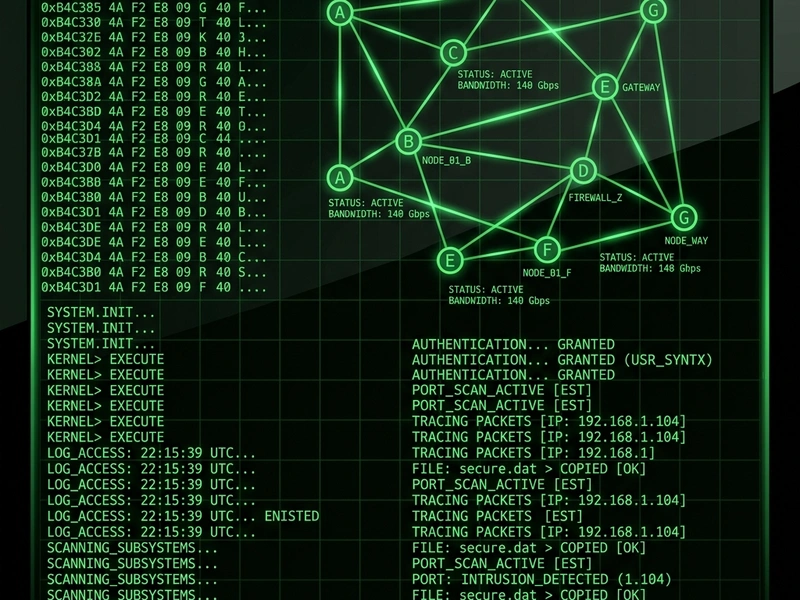
Immerse yourself in a retro-futuristic terminal environment with Skynet Simulator, an engaging hacking simulation that tests your command-line decryption and routing skills. In this game, you step into the role of a system administrator attempting to manage, override, and route data packages through a complex network of AI security nodes. The interface mimics old CRT monitors and requires typing commands to navigate file systems and establish connections. Players who love a good Logik puzzle will find this hacking simulation highly intellectual and satisfying, offering a deep cerebral experience that runs smoothly in any web browser.
The Origin of Terminal Command Games
Terminal-based games draw inspiration from the early era of computing in the 1970s and 1980s, when text-based adventures and command-line interfaces were the only way to interact with machines. Skynet Simulator modernizes this aesthetic by blending retro command prompts with intricate puzzles centered around network topography and node overrides. By focusing on simple syntax rules, the game recreates the feeling of retro computing while keeping the learning curve accessible for casual players who enjoy logic puzzles and hacking narratives.
How to Operate the Neural Net
The core gameplay revolves around analyzing a node diagram displayed on the terminal screen. You must input specific text commands to ping servers, establish links between nodes, and route data flows while avoiding security traps that trigger alarm protocols. Each level represents a different mainframe with increased node complexity and shorter timers. You will need to calculate the optimal path for data packets, ensuring that they pass through decryption keys before reaching the target terminal block. Successfully executing commands requires planning several steps ahead, just like solving a mathematical grid.
Defensive Algorithms & Strategy
- Scan the Grid First: Always run a network scan to identify active firewall nodes before routing any packets. This prevents automatic alarm triggers.
- Trace Decryption Keys: Locate the virtual keys on the network map. You must route your signals through these keys before targeting the main server.
- Buffer Management: Use temporary nodes to buffer signals if firewall scanners are active. This lets you wait for the firewall block to rotate.
- Keep Commands Concise: Learn terminal shorthand inputs to execute commands faster. Speed is crucial on harder security grids.
System Controls
- Keyboard typing: Input command lines directly into the prompt.
- Enter Key: Submit the entered command for execution.
- Tab Key: Auto-complete files and node addresses.
- Esc Key: Reset the current command line or abort active connection.
Core Highlights
- Authentic green-phosphor CRT command-line simulator aesthetic.
- Procedurally generated network puzzles offering high replay value.
- Deterministic logic rules that award strategic thinking and planning.
- Runs instantly in-browser without installation or plugins.
💬 0 Comments
Leave a Comment