
















Snake Game Scratch
Snake Game Scratch Overview
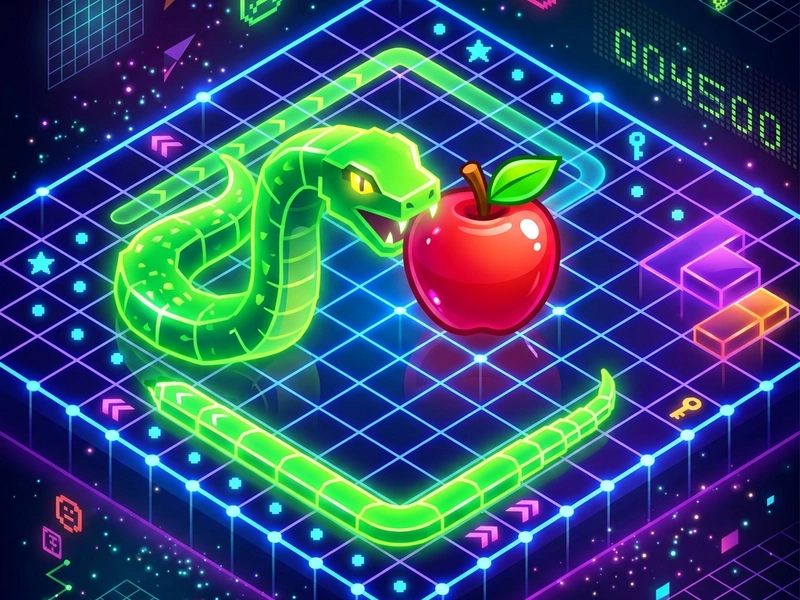
Relive the classic retro mobile arcade experience with Snake Game Scratch! Direct the sliding snake across the grid to collect red apples. Each apple eaten increases your score and makes the snake grow longer, increasing the difficulty of navigating the board. It is a clean remake of the traditional Snake Game, optimized for modern browsers with fluid grid controls, vibrant colors, and responsive inputs.
History of the Mobile Arcade Classic
The concept of the Snake game dates back to the arcade game "Blockade" in 1976. However, it achieved legendary status in 1997 when Nokia engineer Taneli Armanto programmed it for the Nokia 6110 mobile phone. It became one of the most popular mobile games of all time, played by hundreds of millions of people. This Scratch recreation captures the same addictive loop of path planning and speed control, wrapping it in a polished modern web layout.
Game Rules & Objective
The game is played on a bounded grid. You control the head of the snake, steering it in four directions. A red apple randomly spawns on the grid. Your goal is to guide the snake's head to eat the apple. When eaten, the snake grows in length, and a new apple spawns. The game ends in a Game Over if you crash into the outer walls of the grid or if you accidentally bite your own tail. The objective is to grow as long as possible and set a high score.
Pro Navigation Strategies
- Hug the Walls: Guide the snake along the outer borders of the grid. This keeps the center of the board clear, giving you more space to turn as you grow longer.
- Zig-Zag Loop Patterns: When the snake is very long, move in tight zig-zag patterns (S-shapes) across the board. This packs the snake's body tightly together, leaving large open areas for navigation.
- Leave an Exit Path: Never coil the snake's head into a closed loop. Always ensure you have a clear path to the open board.
- Time Your Turns: Anticipate the grid spacing. Tap the turn keys right before reaching the intersection to avoid clipping obstacles.
Controls Guide
- Arrow Keys / WASD: Steer Snake (Changes the direction of the snake (Up, Down, Left, Right).)
- Space Bar: Pause Game (Pauses the active snake movement.)
- R Key: Restart Game (Resets the board and snake to start a new match.)
Key Game Highlights
- Smooth grid-movement physics conforming to retro arcade standards.
- Vibrant red apples and clean green snake segment graphics.
- Built-in score counter and high-score memory.
- Deterministic gameplay that tests spatial planning and reflexes.
💬 0 Comments
Leave a Comment