















Minesweeper Classic Scratch
Experience Minesweeper Classic Scratch
Relive the legendary PC logic puzzle with Minesweeper Classic Scratch. This faithful recreation captures the original grey grid aesthetic, digital counter styling, and click-by-click deduction that defined retro computer gaming in the 90s. If you are a fan of the traditional Minesweper, this version will make you feel right at home, offering the classic unblocked layout that runs perfectly in any modern browser without installation or plugins.
History of the Classic Minesweeper
Minesweeper was originally created by Curt Johnson and Robert Donner in 1989. It was bundled with the Microsoft Entertainment Pack for Windows in 1990, and later became a standard feature in Windows 3.1. The game was designed to help users get comfortable with using a mouse, particularly the concepts of left-clicking and right-clicking. Since then, it has become one of the most widely played computer games in history. This Scratch version keeps the authentic retro feel while optimizing the input response for modern desktop and touch devices.
Rules & Difficulty Levels
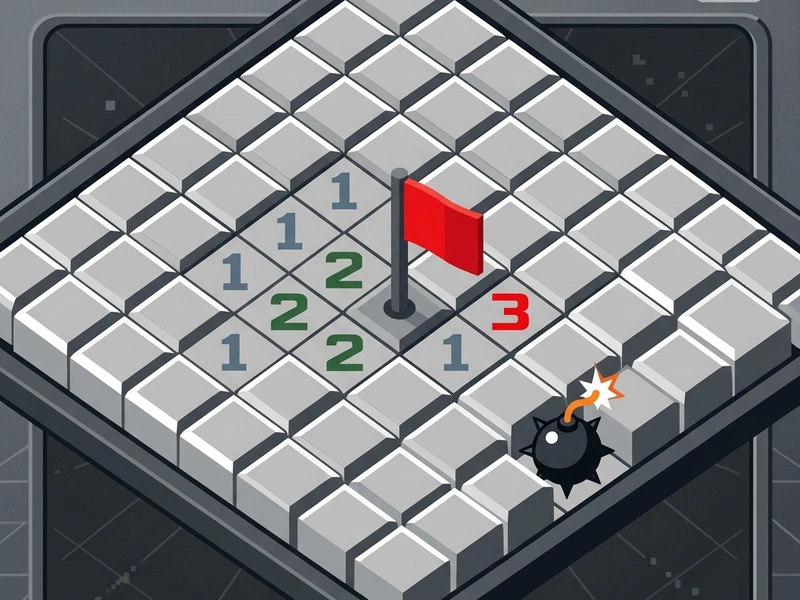
Your task is to uncover all cells on a grid that do not contain hidden landmines. Each revealed number tells you exactly how many mines lie in the surrounding eight adjacent cells. Use these clues to flag suspected cells and safely open the rest of the board. The game is won when all safe cells are opened. If you left-click on a mine, the board detonates, and the game is lost. The game features three classic difficulty modes: Beginner (9x9 grid with 10 mines), Intermediate (16x16 grid with 40 mines), and Expert (30x16 grid with 99 mines).
Strategic Solvers' Tips
- First Click Security: The game guarantees that your first click will never land on a mine. It will always open a safe space, giving you a starting area to apply logic.
- Mark Mines with Flags: Use right-click or long-press to place red flags on suspected mines. This prevents you from accidentally clicking on them later.
- Study Number Intersections: If a "1" and a "2" are next to each other along a border, look at their overlapping neighbors. The "2" requires two mines, while the "1" only needs one. By calculating their shared cells, you can logically deduce safe spots.
- Chording: If you flag the correct number of mines around a number, clicking both mouse buttons simultaneously on that number will automatically open all remaining unflagged adjacent cells.
- Avoid Blind Guessing: If you run into a layout where you cannot logically deduce the next move, leave it and look for other open numbers on the grid.
Controls Guide
- Left-Click / Tap: Reveal Cell (Opens a cell. Displays a number, blank, or mine.)
- Right-Click / Hold: Flag Cell (Places a red flag to mark a suspected mine.)
- Double Click / Scroll Click: Chord Clear (Instantly reveals safe adjacent cells when flagged mines match the number.)
Key Highlights
- Faithful reproduction of the 90s Windows grey-block board.
- Retro sound effects and the classic smiley face reaction button.
- Precise mouse input alignment to prevent accidental clicks.
- Tracks your best clearing times with an accurate digital timer.
💬 0 Comments
Leave a Comment