














Bubble Shooter Scratch
Aim & Pop in Bubble Shooter Scratch
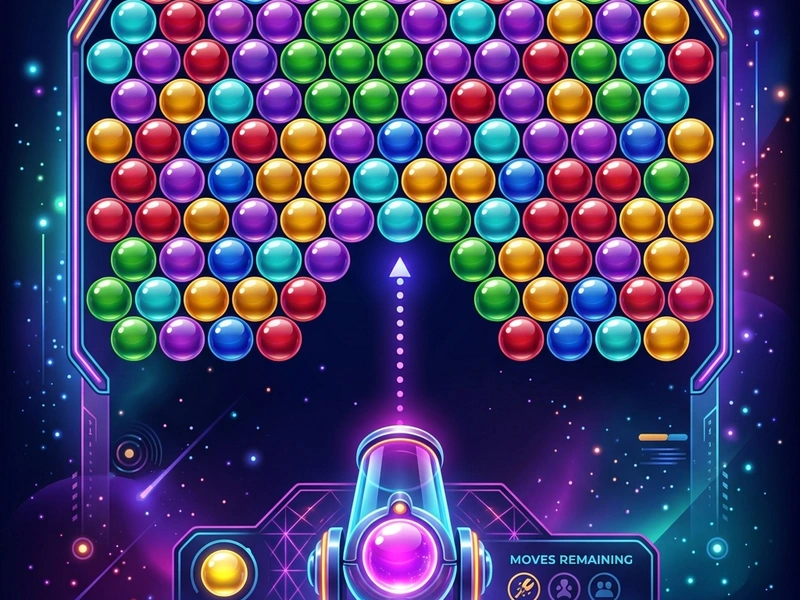
Enjoy classic arcade matching action in Bubble Shooter Scratch! Direct the bottom bubble launcher to shoot colored spheres into the hanging clusters. Match three or more of the same color to pop them and clear the screen. This game brings the classic Bubble Shooter arcade right to your web browser, running smoothly without lag or installation.
History of the Bubble Popping Arcade
The bubble shooter genre was created by Taito in 1994 with the release of the arcade game "Puzzle Bobble" (also known as Bust-a-Move). It combined the falling block pressure of Tetris with the color-matching logic of match-3 games. In 2002, Lariad released the unblocked clone "Bubble Shooter," which became a massive hit on web browsers. This Scratch recreation retains the traditional aiming and bouncing physics that made the original game so addictive.
Game Rules & Mechanics
The board features rows of colored bubbles hanging from the ceiling. A bubble launcher at the bottom contains a colored sphere and displays the next sphere in queue. You aim the launcher and click to shoot. If the shot bubble hits a cluster of the same color, matching 3 or more bubbles, the entire cluster pops. If any bubbles were hanging solely from the popped cluster, they fall off too. The ceiling slowly drops down after several shots. If bubbles reach the bottom line, it is game over. The goal is to clear the board.
Pro Strategies for Bubble Shooter
- Execute Wall Bank Shots: Bounce bubbles off the left and right walls to reach tight spaces. This is crucial for popping clusters hidden behind columns.
- Target Anchor Bubbles: Look for bubbles that support large clusters of different colors. By popping the anchor bubble, the entire group below falls, earning massive points.
- Keep the Board Balanced: Avoid shooting only in the center. Clear the sides to ensure you have wide angles to aim your bank shots.
- Check the Next Bubble: Look at the preview bubble in the launcher. This helps you plan your shots in advance.
Launcher Controls Table
- Move Mouse: Aim Launcher (Aligns the launcher's shooting guide line.)
- Left-Click / Tap: Shoot Bubble (Launches the bubble at the selected angle.)
Key Game Highlights
- Classic bubble physics with reliable wall bounce trajectories.
- Vibrant colored bubble spheres with clean layout designs.
- Real-time score counting and progress tracking.
- No timer pressure, allowing players to plan angles carefully.
💬 0 Comments
Leave a Comment