















Google Minesweeper
About Google Minesweeper
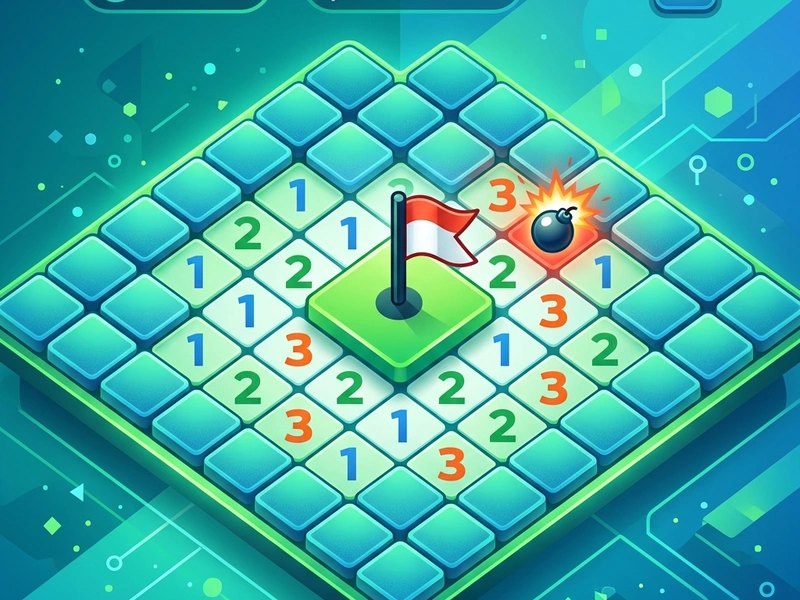
Test your logical thinking, precision, and deduction with the modern flat design of Google Minesweeper. Originally popularized as a standard pack-in game on early Windows operating systems, the classic minesweeping challenge has been refreshed by Google with a modern, clean interface, smooth animations, and gorgeous color schemes. Your objective remains to identify all hidden mines scattered across a grid without clicking on a single one. This version offers a perfect mental workout for players of all ages who love a good retro logic puzzle. Many gamers who search for the classic Minesweper online will find that this edition is highly polished and runs smoothly in any web browser without ads or interruptions.
History of the Grid Sweeper Puzzle
The history of minesweeping games dates back to mainframe computers in the 1960s and 1970s, with early iterations like "Mined-Out" and "Relentless Logic." However, it was Curt Johnson and Robert Donner who created the version that Microsoft shipped with Windows 3.0 in 1990. It served not only as a popular game but also as a training tool to teach users how to left-click and right-click with a mouse. Over the decades, it has become a staple of casual gaming. Google's modern version respects the traditional mathematical grid logic while introducing a modern flat aesthetic, animated flags, and visual feedback that makes the gameplay feel fresh and satisfying.
Complete Game Rules & Board Layout
The board consists of a grid of covered squares. Each grid cell can either contain a hidden mine or be completely safe. Clicking a safe cell reveals a number from 1 to 8, which indicates exactly how many mines are located in the surrounding eight adjacent cells. If you reveal a cell with no neighboring mines, it remains blank, and the surrounding safe cells automatically open in a cascade. The game is won when all safe cells are revealed, and all mines are correctly identified. If you accidentally left-click on a mine, it detonates, and it is game over. Google Minesweeper features three standard difficulty settings: Easy (10 mines on a 10x10 grid), Medium (40 mines on a 15x13 grid), and Hard (99 mines on a 30x16 grid).
Pro Strategies & Beginner Tips
- First Click Safety: In Google Minesweeper, your very first click is guaranteed to be safe and will always open a blank space or a number, giving you a solid starting point.
- Look for Obvious Patterns: Focus on corner cells. For example, if a cell displaying a "1" only has one covered neighbor, that neighbor must be a mine. Place a flag on it immediately.
- The 1-2-1 Pattern: A common pattern is a row of numbers showing 1-2-1. Under standard grid logic, this layout guarantees that the squares directly below or above the "1"s contain mines, while the square below the "2" is safe.
- Use Chord Clicks: Once you have flagged the correct number of mines around a revealed number, double-clicking that number (or clicking with both mouse buttons) will instantly reveal all remaining covered neighbors, saving you time.
- Avoid Guessing: If you reach a 50/50 guessing situation, leave it for later. Work on other parts of the grid; you might reveal numbers that clarify the board state without risking a detonation.
Controls Guide
- Left-Click / Tap: Open Square (Reveals the clicked grid cell.)
- Right-Click / Hold: Place Flag (Marks a square as containing a hidden mine.)
- Double Click / Both Buttons: Chord Reveal (Instantly reveals adjacent safe cells when flags match the cell number.)
Key Game Highlights
- Smooth flat vector graphics with beautiful wood-green and sky-blue themes.
- Built-in timer and mine counters to measure your solving speed.
- Excellent mobile touch support, allowing seamless tap and hold controls.
- Completely deterministic gameplay suitable for logical deduction practice.
💬 0 Comments
Leave a Comment