




















Mahjong Solitaire Scratch
Mahjong Solitaire Scratch Tile Matching
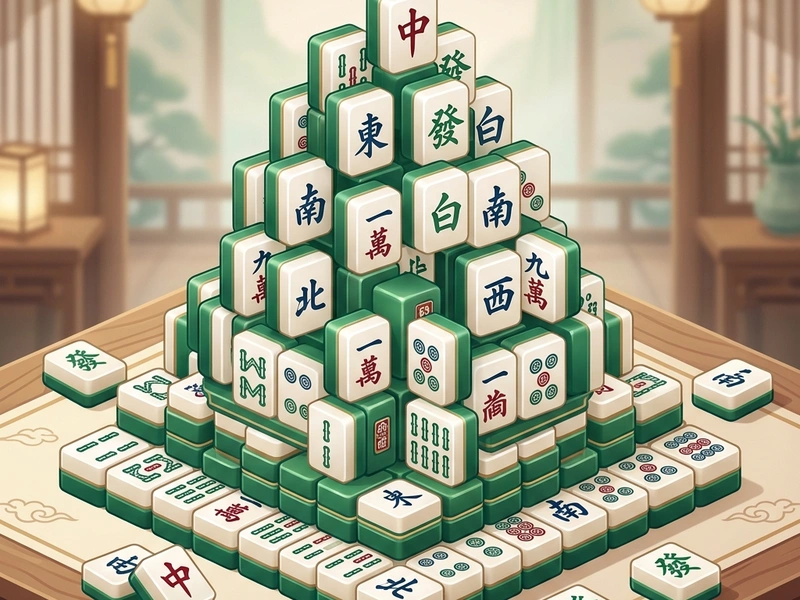
Find your focus and enjoy the calm of classic tile matching in Mahjong Solitaire Scratch. This board game challenges you to disassemble a towering mountain of beautifully illustrated Chinese tiles by finding and matching identical pairs. It is a premium adaptation of the traditional Mahjong board game, presenting a clean layout that runs directly in your web browser.
History of the Chinese Tile Board Game
Mahjong originated in China during the Qing dynasty, played with sets of 136 or 144 tiles. While the traditional game is a multiplayer card-like game, Mahjong Solitaire (also known as Shanghai or Taipei) is a single-player matching game created by Brodie Lockard in 1981 on the PLATO computer system. It became a global PC staple when Activision released it in 1986. This Scratch recreation retains the traditional tile set designs while offering helpful shuffle features when you run out of moves.
Rules & "Free Tile" Mechanics
The game starts with 144 tiles arranged in a multi-layered pyramid structure. Your objective is to clear all tiles by matching identical pairs. However, you can only match "free" tiles. A tile is considered free if it satisfies two conditions: it has no other tiles resting on top of it, and it has at least one open side (left or right) with no adjacent tiles touching it. You click two free matching tiles to clear them, exposing the tiles underneath and adjacent to them.
Pro Strategies for Mahjong Solitaire
- Clear the Top Layers First: Prioritize matching tiles on the high layers. These tiles block access to the largest number of tiles underneath them.
- Keep the Board Balanced: Avoid clearing tiles from only one side. Try to dismantle the pile evenly to keep a wide variety of free tiles available.
- Plan Pairs Ahead: If you see four matching tiles, match them in a way that opens the most covered cells. For example, match the ones blocking other stacks first.
- Conserve Pairs: If you have multiple matching options, inspect which match opens new tiles before executing the move.
Controls Guide
- Left-Click / Tap on Tile: Select Tile (Highlights the selected tile if it is "free.")
- Click Matching Free Tile: Clear Pair (Matches both tiles and removes them from the board.)
- Shuffle Button: Re-align Tiles (Shuffles the remaining tiles when no moves are left.)
Key Game Highlights
- Beautiful traditional Chinese tile sets featuring bamboos, characters, winds, and seasons.
- Built-in Hint and Shuffle assistants to help players when blocked.
- Atmospheric, relaxing gameplay with zero timer pressure.
- Clean grid layouts suitable for desktop and mobile displays.
💬 0 Comments
Leave a Comment